
A resume has about one page to answer three questions for a recruiter: who you are, what you’ve done, and whether you fit this job. Knowing what to put on a resume is mostly about giving each of those answers its own section, in the order that shows you best. The same five sections appear on almost every strong resume, whether you’re a new graduate, a nurse with ten years on the floor or a manager changing industries. What changes is the order, the optional sections you add, and how much space each one gets.
What to put on a resume: your contact details, a 2–3 line summary, work experience with results-focused bullets, education, and a skills section. Add certifications, projects, volunteer work or languages when they support the job. Keep it to one page, in one column, with standard headings, and leave out photos and personal details.
What to put on a resume: the 5 sections every resume needs
Here is the checklist we build every template around. If your resume has these five, it is complete.
| Section | What goes in it | Length |
|---|---|---|
| 1. Contact details | Full name, phone, professional email, city and state, LinkedIn or portfolio link | 2 lines |
| 2. Summary | Who you are, your key skill or years of experience, one result, the role you want | 2–3 lines |
| 3. Work experience | Job title, employer, city, dates, 3–5 bullets per role, most recent first | Half the page or more |
| 4. Education | Degree, school, graduation year; GPA and honors if recent and strong | 2–4 lines |
| 5. Skills | Hard skills, software and tools, languages, certifications if you have no separate section | 3–4 lines |
Optional sections come after these, and only when they add proof for the job: certifications and licenses, projects, volunteer work, awards, publications, and languages.
1. Contact details
Your name goes at the top in bold, a few points larger than the rest of the page. Under it: phone number, a professional email (firstname.lastname works well), city and state, and a LinkedIn URL or portfolio link. A full street address is unnecessary; the city tells an employer whether you’re local.
Put these details in the body of the page rather than in the document’s header area. Applicant tracking systems (ATS), the software employers use to collect applications, pull your name and contact details from the top of the page body, so that’s where they belong.
2. Summary
The summary is a two- to three-line pitch: your title or field, your years of experience or main skill, one piece of proof with a number, and the job you want next. “Customer success manager with 6 years in SaaS onboarding, keeping retention above 95% across 120 accounts. Seeking a team lead role.” Our resume summary examples cover 36 versions for students, career changers, returning parents and managers.
3. Work experience
This is the heart of the page. List each job with title, employer, city and dates (month and year), most recent first. Under each, write three to five bullets that follow one pattern: action verb + what you did + the result.
- Weak: “Responsible for social media.”
- Strong: “Grew the brand’s Instagram from 4,000 to 11,500 followers in 9 months by posting product tutorials three times a week.”
A number gives the reader scale. When you have no revenue or percentage figure, count something: customers served, tickets closed, people trained, hours saved, events run.
4. Education
Write the degree, the school, and the graduation year. Students and new graduates can add a strong GPA, honors, relevant coursework and a thesis or capstone. After a few years of work, education shrinks to one or two lines.
5. Skills
List the hard skills the job post asks for, in the post’s own words: software (“Salesforce”, “Excel pivot tables”), methods (“Agile”, “SEO”), languages with level (“Spanish, fluent”), and tools of the trade. Soft skills such as communication and leadership land better as proof inside your experience bullets than as bare words in a list.
Optional sections worth adding
Add a section when it gives a recruiter evidence the five core sections can’t.
- Certifications and licenses: essential in healthcare, finance, IT and the trades. Name, issuing body, and the year earned or the expiry date.
- Projects: strong for students, developers, designers and career changers. Treat each project like a job, with two or three result bullets.
- Volunteer work: counts as experience when it uses skills from the job post, such as running a fundraiser for a sales role.
- Awards and publications: list them when they are recent and relevant to the field.
- Languages: a separate line helps when the role serves customers in another language.
What to leave off a resume
A resume is a work document, so anything outside your qualifications can go. Keep these off the page:
- A photo, date of birth, marital status, religion or nationality. Georgetown’s Cawley Career Education Center lists birth date, marital status and photographs as personal data to leave out (Georgetown resume formatting guide).
- References, or the line “References available upon request.” Prepare a separate references page and send it when asked.
- Salary history and the reason you left each job. Those come up in interviews.
- Jobs from more than 10–15 years ago that have nothing to do with the role.
- High school details once you have a college degree or a few years of work.
- An objective statement that describes what you want from the employer. A summary that describes what you bring does the same job better.
How to order your resume for your situation
The five sections stay the same. The order changes with what proves your fit best.
| Your situation | Order after contact details and summary |
|---|---|
| Steady work history in one field | Experience, Education, Skills |
| Student or recent graduate | Education, Projects or Experience, Skills |
| No work experience | Education, Projects, Volunteer work, Skills |
| Changing careers | Skills or Projects, Experience, Education |
| Licensed profession (nursing, teaching, accounting) | Licenses and Certifications, Experience, Education, Skills |
What to put on a resume with no experience
When there’s no job history to lead with, every other kind of work counts. Class projects, campus jobs, babysitting, tutoring, a club you ran, a side hustle and volunteer shifts all show the same things a job does: you showed up, you finished things, and you got results. Write them up with the same verb + task + result bullets. “Organized a campus food drive with 12 volunteers that collected 1,400 pounds of food in two weeks” proves more than a list of adjectives ever could.
What to put on a resume: a full example
Here is how the five sections come together on one page for a marketing coordinator with three years of experience. Swap in your own details and keep the same order and length.
Jordan Lee Austin, TX · (512) 555-0142 · [email protected] · linkedin.com/in/jordanlee
Summary Marketing coordinator with 3 years in B2B software. Grew email-driven pipeline 38% by rebuilding nurture campaigns in HubSpot. Looking to own lifecycle marketing at a growing SaaS team.
Experience Marketing Coordinator, Brightline Software · Austin, TX · 2023–Present
- Rebuilt 6 nurture email sequences in HubSpot, lifting demo requests from email by 38% in one year
- Planned and ran 4 webinars a quarter, averaging 420 registrants and 31% attendance
- Cut monthly report time from 6 hours to 1 by building a shared Looker Studio dashboard
Marketing Assistant, Hill Country Events · Austin, TX · 2021–2023
- Managed Instagram and Facebook for 12 client events, growing followers from 2,100 to 9,800
Education B.A. Communication, Texas State University, 2021
Skills HubSpot, Google Analytics 4, Looker Studio, Canva, email segmentation, A/B testing, copywriting
Notice what each part does. The summary names the job, the strongest result and the next role. Every bullet starts with a verb and ends with a number. Skills repeats the tools the job post asks for, in the post’s own words.
How to format what you put on your resume
Content gets you the interview, but formatting decides whether a recruiter reads it. Georgetown’s career center recommends 10 to 12 point font, margins of at least 0.5 inch on every side, and a one-page length for students, and the same rules suit most early- and mid-career resumes.
Keep it to one column of real text with standard section headings (Summary, Experience, Education, Skills). An ATS reads a resume as plain text from top to bottom, so tables, text boxes, icons and two-column layouts can scramble the order your content arrives in. Once your draft is done, our free ATS resume checker shows the plain text an ATS pulls from your file and flags any section it couldn’t find.
Save and send a PDF unless the posting asks for Word. A PDF keeps your fonts and spacing exactly as you set them.
Put it all on the page
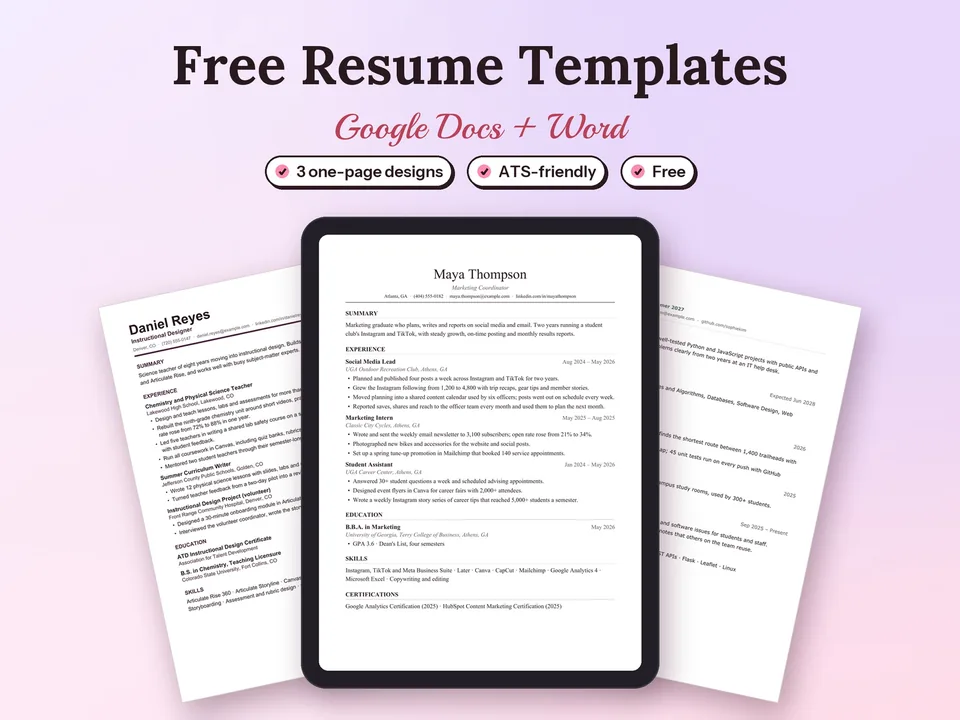
Every strong resume answers the same questions with the same five sections: contact details, summary, experience, education and skills. Choose the order that leads with your best proof, add optional sections only when they help, and keep it to one clean page. If you’d rather start from a finished layout, our free Google Docs resume templates have these sections in place in three designs, ready for you to type over and download as a PDF.
Prefer to fill in a form? The free resume builder uses the same designs and exports Word or PDF.
Questions people ask
What to put in a resume?
Put five core sections on every resume: contact details (name, phone, email, city and state, LinkedIn), a short summary, work experience with results-focused bullets, education, and skills. Add optional sections such as certifications, projects, volunteer work or languages when they support the job you want. Keep everything on one page unless you have ten or more years of relevant experience.
What should come first on a resume?
Your name and contact details always come first. Right under them, put a two to three line summary. After that, lead with your strongest section for the job: work experience if you have relevant jobs, education if you are a student or graduated in the last year or two, and skills or projects if you are changing careers.
Should my education go first if I have a college degree?
Put education first while it is your strongest qualification: as a student, a new graduate, or when the degree is the main requirement in the job post. Once you have a year or two of relevant work, move experience above education. The degree stays on the page, just lower down, with the school, degree, major and graduation year.
What are the best fonts for a resume?
Choose a plain font that every computer has, such as Arial, Calibri, Georgia, Garamond, Times New Roman or Verdana. Georgetown's career center recommends a 10 to 12 point size for body text. Use one font throughout, set your name a few points larger and in bold, and save the file as a PDF so the font stays the same on the employer's screen.
What is the best format to make a resume?
The reverse-chronological format suits most people: your most recent job first, then older roles, in one column with standard headings. Recruiters and applicant tracking systems read it easily. A skills-led (combination) layout works for career changers. Whatever the format, submit a PDF unless the posting asks for a Word file.
What are some resume writing tips?
Start each bullet with an action verb and end it with a result, ideally a number. Tailor the summary and skills to each job post using its own wording. Keep it to one page, use standard section headings, and cut duties anyone in the role would do. Read it aloud once to catch typos, then check it with an ATS resume checker.
How many bullet points should each job have on a resume?
Use three to five bullets for your current or most relevant job and one to three for older or less related roles. Each bullet should fit on one or two lines and end with a result. If a role has more than five strong bullets, keep the ones closest to the job you're applying for.
What do I put on a resume with no experience?
Lead with education, then add a projects section, volunteer work, part-time or campus jobs, and relevant coursework. Each of those can carry results-focused bullets just like a job. Finish with a skills section that lists tools, languages and certifications. A two-line summary naming the role you want ties the page together.