
Invoice vs receipt comes up the moment money changes hands with a client. A new freelance designer finishes a logo and wonders what to send. A bookkeeper gets a cash payment and needs to hand something back. A client’s accounts team asks for “the receipt” when the invoice is already in their inbox. Both documents list the same items and the same total, which is why they get mixed up. The difference is timing. One comes before payment and asks for it. The other comes after payment and proves it. Below, we put the two side by side, lay out a sample of each, and show where each one fits in a small business workflow.
Quick answer: An invoice is a request for payment: you send it after delivering the work, and it states what the client owes, when it’s due and how to pay. A receipt is proof of payment: you issue it after the money arrives, and it shows what was paid, when and how. Invoice first, receipt second.
Invoice vs receipt: the difference at a glance
The one-line version: an invoice asks for money, a receipt confirms you got it. Everything else follows from that.
| Invoice | Receipt | |
|---|---|---|
| Purpose | Requests payment | Proves payment |
| When it’s issued | After delivery, before payment | After payment |
| Main number | Balance due | Amount paid |
| Key dates | Invoice date and due date | Payment date |
| Payment details | How to pay (bank, card link, check) | How it was paid (card, cash, transfer) |
| Status | Open until paid, then paid or overdue | Final; the sale is closed |
| Who keeps it | Seller tracks it as money owed to them; buyer records it as a bill to pay | Buyer keeps it as proof of purchase; seller keeps a copy as proof of income received |
| Typical use | Freelance work, B2B orders, monthly retainers | Retail sales, cash and card payments, paid invoices |
A common shortcut blurs the line. When a client pays, many freelancers mark the invoice “Paid,” add the payment date and method, and send it back. At that point the document has done both jobs: it requested payment and now it confirms it. So a paid invoice can serve as a receipt, while an unpaid invoice can’t.
The invoice vs receipt distinction matters most in your accounting. An open invoice is money you expect, which an accountant calls accounts receivable. A receipt marks money you actually have. If you file the two together without a status, your books will show income that hasn’t landed yet.
What to include in an invoice
An invoice has to give the client everything needed to approve and pay it without a follow-up email. Here’s what to include in an invoice:
- Your business name and contact details, plus your logo if you have one.
- The client’s name and billing contact, and a PO number if they gave you one.
- A unique invoice number. Sequential numbers (1001, 1002, 1003) make it easy to spot a missing one.
- Invoice date and due date. Write the actual date, not only “Net 30,” so nobody has to count.
- Line items with a description, quantity or hours, rate and line total.
- Subtotal, tax, discount and balance due. Sales tax rules for services vary by state, so check yours before adding a rate.
- Payment terms and payment instructions: accepted methods, bank details or a card payment link, and any late fee policy you’ve agreed with the client.
Sample invoice
Here’s how a simple freelance invoice lays out, for a virtual assistant billing a monthly client:
| From | Harper Lane Virtual Support, Raleigh, NC · [email protected] |
| Bill to | Oakline Studio, Attn: Accounts Payable |
| Invoice # | 1047 |
| Invoice date | October 1, 2026 |
| Due date | October 15, 2026 (Net 14) |
| Description | Qty | Rate | Amount |
|---|---|---|---|
| Inbox and calendar management, September | 18 hrs | $40.00 | $720.00 |
| Client onboarding packet (flat fee) | 1 | $250.00 | $250.00 |
| Subtotal | $970.00 | ||
| Sales tax (0%) | $0.00 | ||
| Balance due | $970.00 |
Payment: ACH to the account below, or pay by card using the link in this email. Questions about this invoice: reply to [email protected].
Notice what isn’t there yet: a payment date. The invoice only knows what is owed.
What to include in a receipt
A receipt records a finished transaction, so its job is to answer what was paid, when and how. Include:
- Your business name and contact details.
- A receipt number, or the invoice number it settles.
- The payment date.
- What was bought, either as line items or as a reference to the invoice.
- The amount paid, with tax shown separately if any was charged.
- The payment method, such as Visa ending 4242, ACH transfer, check #318 or cash.
- The remaining balance, usually $0.00, or what’s still owed on a partial payment.
Sample receipt
The same job, after Oakline Studio pays:
| From | Harper Lane Virtual Support, Raleigh, NC |
| Received from | Oakline Studio |
| Receipt # | R-1047 (for Invoice #1047) |
| Payment date | October 12, 2026 |
| Payment method | ACH bank transfer |
| Description | Amount |
|---|---|
| Inbox and calendar management, September (18 hrs) | $720.00 |
| Client onboarding packet | $250.00 |
| Amount paid | $970.00 |
| Balance remaining | $0.00 |
The items and the total match the invoice. What changed is the payment date, the payment method and a balance of zero. Those three fields are what turn a request into proof.
When to send an invoice and when to send a receipt
In practice, invoice vs receipt is a question of order. In a freelance or service business, the order is almost always the same. Here’s how to invoice as a freelancer from first quote to paid:
- Agree on scope and price. Often this is a quote or estimate the client accepts.
- Do the work, logging hours if you bill by time.
- Send the invoice when the work is delivered, at a milestone, or on a fixed date for retainers. Attach it as a PDF so it looks the same on every screen.
- Track it. Mark it sent, then paid or overdue. A friendly reminder a day or two after the due date clears most late payments.
- Record the payment when the money lands, matching it to the invoice number.
- Send a receipt or a paid copy of the invoice if the client paid in cash or by check, needs it for reimbursement, or asks for one.
Retail and in-person sales run the other way. A café, a market stall or a shop takes payment first and hands over a receipt on the spot, with no invoice at all. Card readers and online checkouts usually generate the receipt for you. If you’re choosing a processor for that kind of selling, our Stripe vs Square comparison covers how each one handles invoices and in-person payments.
When a client pays only part of an invoice, issue a receipt for the amount received and leave the invoice open with the remaining balance. Mixing a partial payment into a “paid” status is one of the most common reasons freelancers lose track of who still owes them.
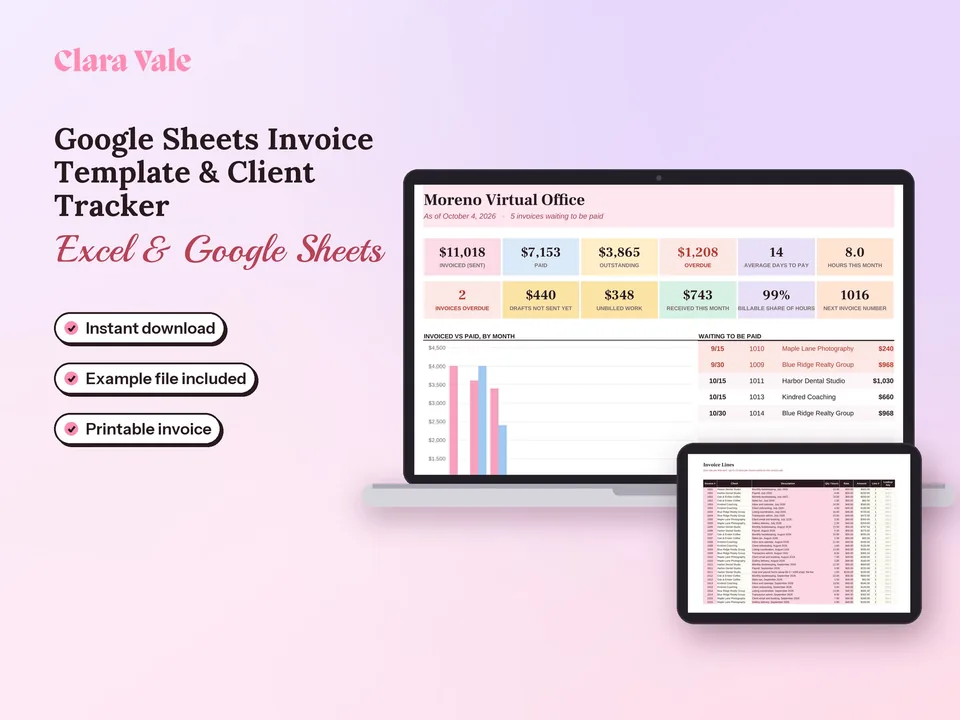
A note from our own work on billing templates: the step people skip is number 5. An invoice sent from one place, a payment landing in the bank and a receipt emailed from a card processor end up as three separate records. Matching them by invoice number is what keeps the totals honest at tax time. Our Google Sheets Invoice Template & Client Tracker is built around that step: the Invoice Register shows each invoice as Draft, Sent, Paid or Overdue, and the Payments tab logs the date and amount of every payment against its invoice number.
Invoice vs bill, purchase order and estimate
A few other documents sit next to invoices and receipts in the same sale. They’re easy to tell apart by timing and by who sends them.
| Document | Who sends it | When | What it does |
|---|---|---|---|
| Estimate or quote | Seller | Before work starts | Proposes a price; nothing is owed yet |
| Purchase order (PO) | Buyer | Before work starts | Authorizes the purchase on the buyer’s side |
| Invoice | Seller | After delivery | Requests payment |
| Bill | Buyer’s name for the invoice it received | After delivery | Records money the buyer owes |
| Receipt | Seller | After payment | Proves payment |
Invoice vs bill. These are one document seen from two sides. You send an invoice; your client records it as a bill. In accounting software, your invoices sit in accounts receivable and the bills you owe sit in accounts payable.
Invoice vs purchase order. Larger clients often issue a PO before you start. Put the PO number on your invoice, because many accounts payable teams can’t approve an invoice that doesn’t match an open PO.
Invoice vs estimate. An estimate is a proposal and can change. The invoice states the final amount owed once the work is done, which may differ from the estimate if the scope grew.
Invoice vs receipt in your tax records
Both documents are part of your tax records, and the IRS names both. IRS Publication 583 lists supporting documents for a small business as “sales slips, paid bills, invoices, receipts, deposit slips, and canceled checks.” It names invoices and receipt books among the documents that show gross receipts, and invoices, cash register tapes and credit card slips among those that show business expenses. Expense documents, it adds, should show the amount paid and that the amount was for a business expense.
That last point is the practical one. An invoice you received shows what you were charged. Pair it with proof that you paid, such as the receipt, a canceled check or a card statement line, and the expense is fully documented. On the income side, your sent invoices plus the matching bank deposits show what you earned and when it arrived.
How long to keep them depends on the period of limitations for the return they support. The IRS page How long should I keep records? sets the general rule at 3 years. It’s 6 years if you leave out income that’s more than 25% of the gross income shown on your return, and 7 years for a bad debt or worthless securities deduction. Employment tax records need at least 4 years, and records have no end date if a return was never filed. Digital copies count, as long as the storage system gives a complete and accurate record the IRS can access, per Publication 583.
A simple setup works for most freelancers and small businesses:
- One folder per tax year, with subfolders for invoices sent, receipts issued and receipts or bills received.
- File names that start with the date and number, such as
2026-10-01_INV-1047_Oakline.pdf, so they sort in order. - Match every payment to its invoice number in your books each week, so open invoices and real income never blur together.
Our guide to bookkeeping for small business covers the weekly routine, receipt storage and monthly bank reconciliation in more detail.
Use the right document at the right moment
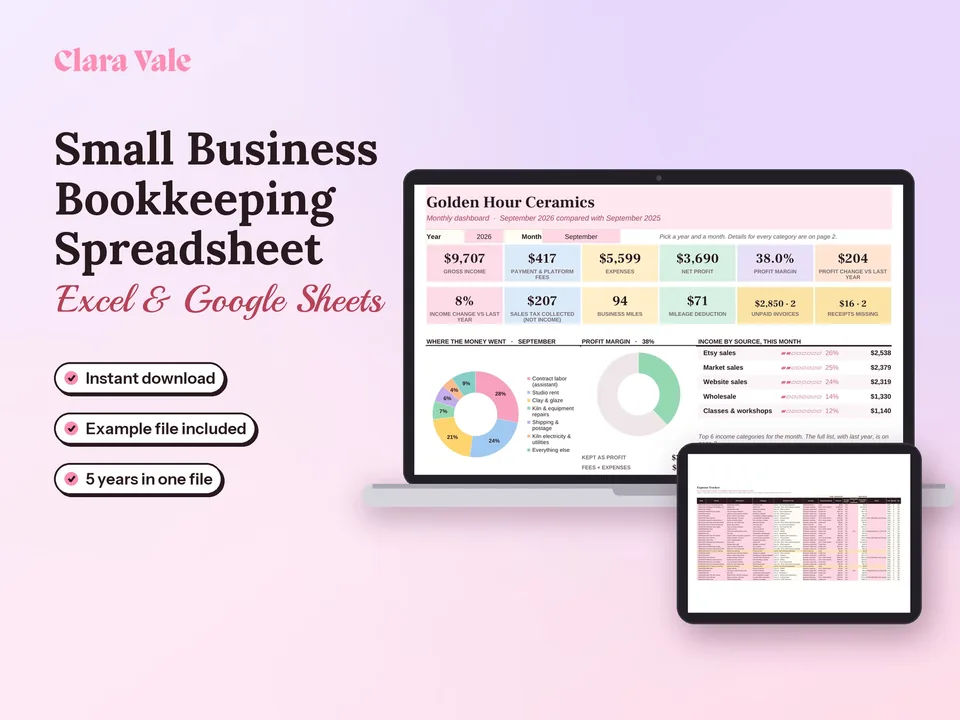
The invoice vs receipt question comes down to one moment: payment. Before it, send an invoice that states what’s owed, when it’s due and how to pay. After it, send a receipt, or a paid copy of the invoice, that shows the date, the amount and the method. Keep both, matched by invoice number, for at least three years. If you bill clients by the hour or by the project, our Google Sheets invoice template logs your time, prints a one-page invoice and shows who has paid and who is late. If you also want sales, expenses and mileage in one place, the Small Business Bookkeeping Spreadsheet maps each expense to its Schedule C line.
Questions people ask
What is the difference between a receipt and an invoice?
An invoice is a request for payment. The seller sends it after delivering work or goods, and it shows what is owed, by when and how to pay. A receipt is proof of payment. The seller issues it once money arrives, and it shows what was paid, when and by which method. The invoice comes first; the receipt closes the sale.
How do you create an invoice?
Put your business name and contact details at the top, then the client's name, a unique invoice number, the invoice date and the due date. List each service or product with quantity, rate and line total, add tax or discounts, and show the balance due. Finish with payment terms and payment instructions, then save it as a PDF and email it.
Is an invoice proof of purchase?
On its own, an unpaid invoice proves a sale was billed, not that it was paid. A receipt, or an invoice marked paid with the date and payment method, is proof of purchase. For your own books, the IRS treats invoices as supporting documents, and pairing each one with the bank deposit or card statement that shows the payment gives the strongest record.
Does invoice mean paid?
No. An invoice means payment is requested. It stays open until the client pays, and its status moves from sent to paid, or to overdue once the due date passes. Many small businesses turn the invoice into a receipt after payment by stamping it Paid and adding the payment date, amount and method, then sending that copy back to the client.
Can an invoice be used as a receipt?
Yes, once it's paid and says so. Add a clear Paid mark, the date the money arrived, the amount received and the payment method, and leave the balance due at zero. That paid invoice works as a receipt for most service clients. Retail and point-of-sale buyers usually expect a separate receipt at checkout.
Do I need to send a receipt if I already sent an invoice?
Send one when the client asks, when they paid in cash or by check, or when they need it for expenses or reimbursement. Card processors and invoicing apps often email a receipt automatically when the client pays online. For bank transfers, a short paid confirmation or a paid copy of the invoice keeps both sets of books clean.
What is the difference between an invoice and a bill?
They are the same document seen from two sides. The seller sends an invoice; the buyer receives it and records it as a bill to pay. In accounting software, invoices sit in accounts receivable, money owed to you, and bills sit in accounts payable, money you owe. A utility bill is simply an invoice from the utility company.