
Selling on Etsy is a short list of decisions made in the right order: what you’ll make, whether people want it, how you’ll open the shop, and how you’ll price around Etsy’s fees. The last one is the easiest to skip: copy a competitor’s price, ignore the fee math, and a $24 mug can quietly earn a few dollars once materials, postage and fees come out. Here is how to sell on Etsy without that surprise, with every setup step checked against Etsy’s help center as of October 2026.
To sell on Etsy, pick a product Etsy allows, check that buyers want it, then open a shop at Etsy.com/sell: choose your shop language, country and currency, pick a shop name, connect your bank, add a billing card, verify your identity and turn on two-factor authentication. Add your first listing, price it to cover Etsy’s fees, set shipping, and publish.
Step 1: Decide what to sell on Etsy
Etsy isn’t a general marketplace. According to Etsy’s guide on how to open an Etsy shop, everything you list must fall into one of four groups:
| Etsy category | What it covers | Examples |
|---|---|---|
| Made by a seller | Items you handcraft or produce yourself, including with computerized tools | Pottery, knitted scarves, laser-cut signs |
| Designed by a seller | Your original designs, sold as digital downloads or made by a production partner | Printables, planners, print-on-demand shirts |
| Handpicked by a seller | Vintage items at least 20 years old, items from nature, curated sets | A 1950s dress, geodes, gift boxes |
| Sourced by a seller | Craft and party supplies, plus personalized items | Beads, party decor, engraved necklaces |
Pick something you can make again next week at the same cost. A one-off piece is a nice sale; a product you can repeat is a shop. Digital products (printables, templates, patterns) are a low-cost way to start selling on Etsy because there’s no inventory or shipping. Physical goods are fine too, but you’ll need to plan packaging and postage from day one.
Step 2: Check demand before you make 50 of anything
Before you buy materials in bulk, type your product into Etsy the way a buyer would. Look at three things on the results page: how many listings appear, whether the top results show reviews and recent sales, and the price range of shops that look established. A crowded page with lots of reviews means demand is real but you’ll need a clear angle, such as a niche, a style or a size nobody else offers. A nearly empty page can mean an opening, or it can mean nobody wants the thing.
Once your shop exists, Etsy’s Marketplace Insights tool (Shop Manager, then Stats) shows how many searches a keyword got on Etsy in the last 30 days and how many listings compete for it. It’s the closest thing to real Etsy demand data, and it also feeds Step 4, because the phrases buyers type are the phrases your titles and tags should use.
Write down a target price range from this research. You’ll test it against fees in Step 5.
Step 3: Open your Etsy shop
Here’s how to start an Etsy shop today, in the order Etsy’s onboarding asks for things. You need an Etsy account first, and Etsy says the shop has to be set up on a desktop web browser. After that, you can run it from the Etsy Seller app.
- Go to Etsy.com/sell and select Get started. You’ll answer a few questions about your selling experience.
- Set shop preferences. Choose your shop language (you can’t change it later), shop country and shop currency. If your bank’s currency differs from your shop currency, currency conversion fees can apply.
- Choose a shop name. It must be 4 to 20 characters, with no spaces or special characters, no profanity, not already taken and not someone else’s trademark. You can change it after opening.
- Connect your bank. Pick where your bank is located and whether you’re an individual or sole proprietorship or an incorporated business. US sellers connect and verify their bank through Plaid.
- Add billing. Add a credit or debit card so Etsy can charge your seller bill.
- Pay the set-up fee if one applies. Etsy charges a one-time, non-refundable shop set-up fee in some locations. It appears in a “Total due now” box after billing. Etsy says the cost varies by location, and we couldn’t confirm the US amount on Etsy’s own pages, so read the figure in that box before you tick it.
- Verify your identity. Etsy uses Persona to compare a photo of your government ID with a selfie. The ID can’t be expired and must match the name on your bank account.
- Turn on two-factor authentication. Etsy requires it. An authenticator app is the recommended option.
- Add your first listing and open the shop. You can’t open a shop with zero listings.
While you set up an Etsy shop, fill in the storefront basics: logo, banner, an About section and shop policies for returns, exchanges and custom orders. Buyers check these before they trust a new shop with no reviews. Opening the shop is the quick part of how to start an Etsy shop; listings and pricing decide whether it pays.
Step 4: Create a listing that gets found
Each listing has seven tabs to fill in. Etsy’s guide to creating a listing sets these limits:
- Photos and video: up to 20 photos and 2 videos of 5 to 15 seconds. Use all the photo slots you can: the item alone, the item in use, a scale shot next to a hand or a common object, close-up details and packaging.
- Title: up to 140 characters. Etsy suggests fewer than 15 words. Say what the item is first, then the details buyers filter by (material, size, color, occasion). Skip words like “perfect”.
- Tags: up to 13. Use the different phrases a buyer might type, not 13 copies of your title.
- Attributes: the options change with the category you pick. Fill in every one that applies; Etsy says attributes help buyers find items in search results.
- Description: answer the questions a buyer would ask in a message: size, materials, care, what’s included and processing time.
Etsy search matches what a buyer types against your title, tags, attributes and category. That’s why the same phrase can sit in your title, a tag and an attribute without being wasted: each field tells Etsy something slightly different about when to show the listing.
Step 5: Price your item with Etsy fees built in
Etsy’s fees come out of every sale, so your price has to absorb them. For US sellers, Etsy’s page on fees and taxes for selling on Etsy lists a $0.20 listing fee per listing (each listing lasts four months), and a 6.5% transaction fee on the item price plus any shipping and gift wrap you charge.
On top of that, Etsy’s payment processing fee for US bank accounts is 3% + $0.25, charged on the total the buyer pays, including sales tax.
Here’s one order worked through: a $25 item with $5 shipping, and $2 of sales tax, so the buyer pays $32.
| Fee | How it’s calculated | Amount |
|---|---|---|
| Listing fee | Flat, per listing | $0.20 |
| Transaction fee | 6.5% × $30 (item + shipping) | $1.95 |
| Payment processing | 3% × $32 + $0.25 | $1.21 |
| Total Etsy fees | $3.36 |
You keep $26.64 of the $30 you charged, before materials, packaging and the shipping label. When we built the fee formulas for our seller spreadsheet, the line beginners miss most often was processing on sales tax: you never keep the tax, yet you pay 3% on it.
Run your own numbers in our Etsy fee calculator, then set a price that covers materials, your time and those fees with room left over. Lower prices lose a bigger share: a $10 item with no shipping or tax pays $1.40 in fees, or 14%, because the flat $0.20 and $0.25 don’t shrink.
For the full list of charges, including currency conversion and the rules on renewals, see Etsy fees explained.
If you’re selling on Etsy with handmade goods, your time is a cost too. Our guide on how to price handmade items walks through a formula that pays you an hourly rate.
Step 6: Set up shipping or digital delivery
Physical items. Create a shipping profile in your Shipping settings: your origin ZIP code, processing time (how long you need before it ships), the shipping service, and either a fixed price or free shipping. Save it as a profile so every similar listing uses the same rules. If you offer free shipping, raise the item price to cover the label, and remember the 6.5% transaction fee applies to shipping you charge either way. Etsy Shipping Labels let you buy postage inside Etsy and add tracking to the order automatically.
Digital downloads. When you list an instant download, Etsy’s guide on managing digital listings allows up to five files per listing, 20MB each, in formats including PDF, JPG, PNG and ZIP. Name files carefully before uploading, because buyers see the same file names and you can’t rename them afterward. Digital listings can’t have variations, so a planner in three colors needs three listings or one ZIP with all three. Fees are the same as for physical items, just without shipping in the math.
Step 7: Get your first sales with Etsy Ads and Offsite Ads
The two Etsy ad programs work differently, and they’re easy to mix up when you’re new to selling on Etsy.
| Etsy Ads | Offsite Ads | |
|---|---|---|
| Where ads show | Inside Etsy (search results and other Etsy pages) | Outside Etsy: search engines, social media, partner sites |
| How you pay | A daily budget you choose; you pay for clicks | Only when an ad click leads to a purchase within 30 days |
| Cost | Varies with your budget and strategy | 15% of the order, or 12% once your shop has made $10,000 in a 365-day period; never more than $100 per order |
| Can you opt out? | It’s off until you turn it on | Only if your shop has never reached $10,000 in any 365-day period |
Etsy’s page on how Offsite Ads work explains that every shop is enrolled automatically and you can’t choose which listings get advertised. If a buyer’s last click before buying was an Etsy Ad, only the Etsy Ads fee applies to that order. For a low-margin product, a 15% fee on one order can wipe out its profit, so run the math before deciding whether to stay enrolled.
Ads aren’t the only lever. Share new listings on the social accounts you already have, ask early buyers for reviews, and keep listing: each new listing is another way into Etsy search. A small first coupon for past buyers costs less than most ad clicks.
Step 8: Keep records from the first sale
Your Etsy Payment account shows fees, sales and deposits, but it doesn’t show what the materials cost you, what you spent on postage outside Etsy, or which listing actually makes money. Treat selling on Etsy as a small business and track those yourself from the first order. A simple log with the order date, item, sale price, shipping charged, Etsy fees, material cost and label cost is enough to see profit per product.
The IRS taxes your profit, not your Etsy sales, so receipts for supplies, packaging and equipment matter. Our self-employed tax calculator gives a rough idea of what to set aside, and a tax professional can confirm the rules for your situation.
Start small, then repeat what sells
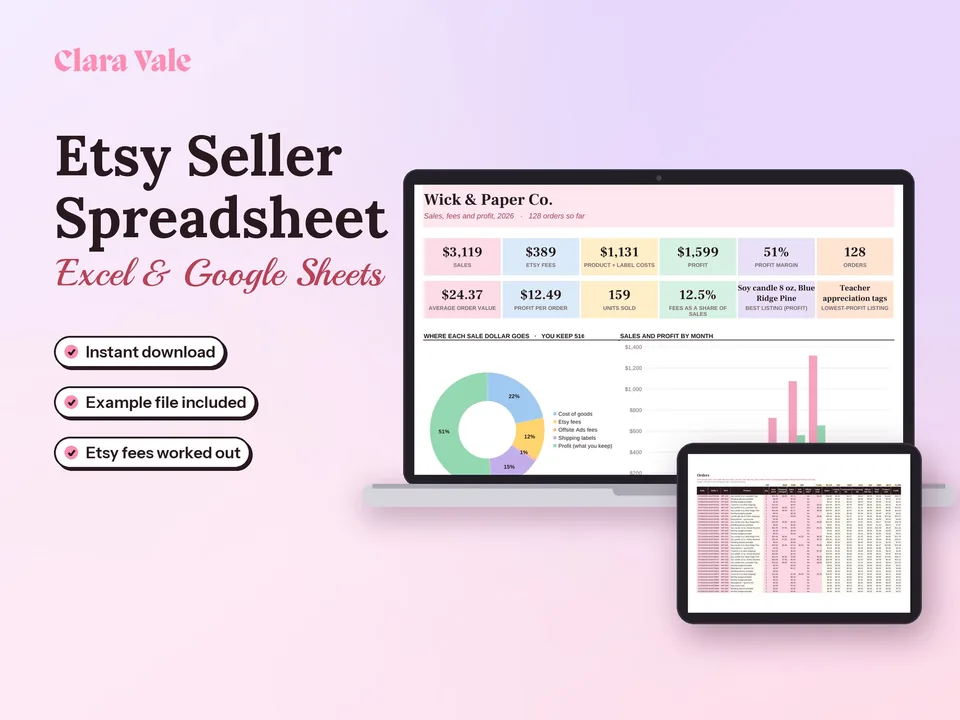
The fastest way to learn how to sell on Etsy is to open with a handful of listings you’ve priced with fees included, watch which ones get views and favorites, and make more of what works. Keep every order, fee and material cost in one place with our Etsy Seller Spreadsheet & Profit Tracker, which calculates Etsy’s fees per order and shows real profit for each product.
Fees and setup steps are current as of October 4, 2026, for US sellers. Etsy changes its rules from time to time, so check its help center before you price. This post is educational and is not tax or legal advice.
Questions people ask
How much does Etsy take from a $100 sale?
For a US seller, a $100 item with no shipping or sales tax costs about $9.95 in fees: the $0.20 listing fee, the 6.5% transaction fee ($6.50) and payment processing of 3% + $0.25 ($3.25). If the sale came from an Offsite Ad, add 15% (or 12% for larger shops), which is another $15 or $12.
What is the downside of selling on Etsy?
Fees stack up: listing, transaction, payment processing and sometimes Offsite Ads. You also compete with many similar shops, follow Etsy's rules on what you can sell, and depend on Etsy search for traffic. Once a shop makes $10,000 in any 365-day period, Offsite Ads become mandatory at a 12% fee on attributed orders.
What is the $29 fee on Etsy?
New sellers usually meet one upfront charge: Etsy's one-time, non-refundable shop set-up fee. Etsy's help pages say the cost varies by location and appears in the set-up flow after you add billing details, where you tick a box to authorize it. Check the amount shown there, since Etsy's help pages don't list a single price.
Do I need an LLC if I sell on Etsy?
No. Etsy says it doesn't require a business license, and during setup you can choose Individual or sole proprietorship as your seller type. An LLC is optional and mainly about liability. You still have to follow the laws that apply to a small online business where you live, so ask a local professional if you're unsure.
Is it still profitable to sell on Etsy?
It can be, if your price covers materials, your time, shipping and roughly 10% to 14% in standard Etsy fees on orders between $10 and $100. Profit tends to disappear when sellers price by copying competitors, offer free shipping without raising the item price, or forget that Offsite Ads can take 15% of an attributed order.
Is selling in Etsy worth it?
Etsy is worth it when you want ready-made buyer traffic and don't want to build a website first. You pay for that traffic through fees. It suits handmade, vintage and digital products with clear search terms. If your product only sells through your own audience, a personal store may keep more of each sale.
Can you make $10,000 a month on Etsy?
It's possible, but it usually takes many listings, a product people search for often, and steady reorders. Plan for the rules that change as you grow: once your shop passes $10,000 in any 365-day period, Offsite Ads are required for the life of the shop, at a 12% fee on orders they bring in.